Vanakkam, Pondy! Your business has a new billing buddy. +91 94 94 11 11 91

FOR EVERY BUSY COUNTER

Shop billing software.
For your everyday.

From a neighbourhood kadai to a growing supermarket. Bring billing, products and your daily sales into one simpler routine.

Retail billing software for shops in Pondicherry (Puducherry) and Karaikal, based on Posnic POS. Meet our team at the South Boulevard office or discuss a visit to your business.
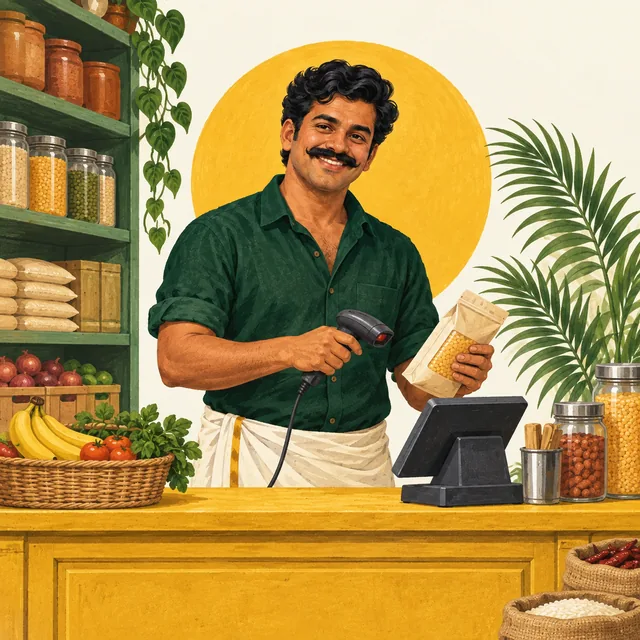
Illustration of Bill Pondy scanning groceries at a shop counter
Bill Pondy, your fictional billing buddy.

ONE SIMPLE ANNUAL SOFTWARE PRICE

₹6,000 per year.

No setup fee or additional software fees.

Bill Pondy billing software for shops and restaurants, based on Posnic POS with its restaurant module.

See pricing and prepare your setup · Call +91 94 94 11 11 91

A LOOK INSIDE POSNIC

See the shop counter in action

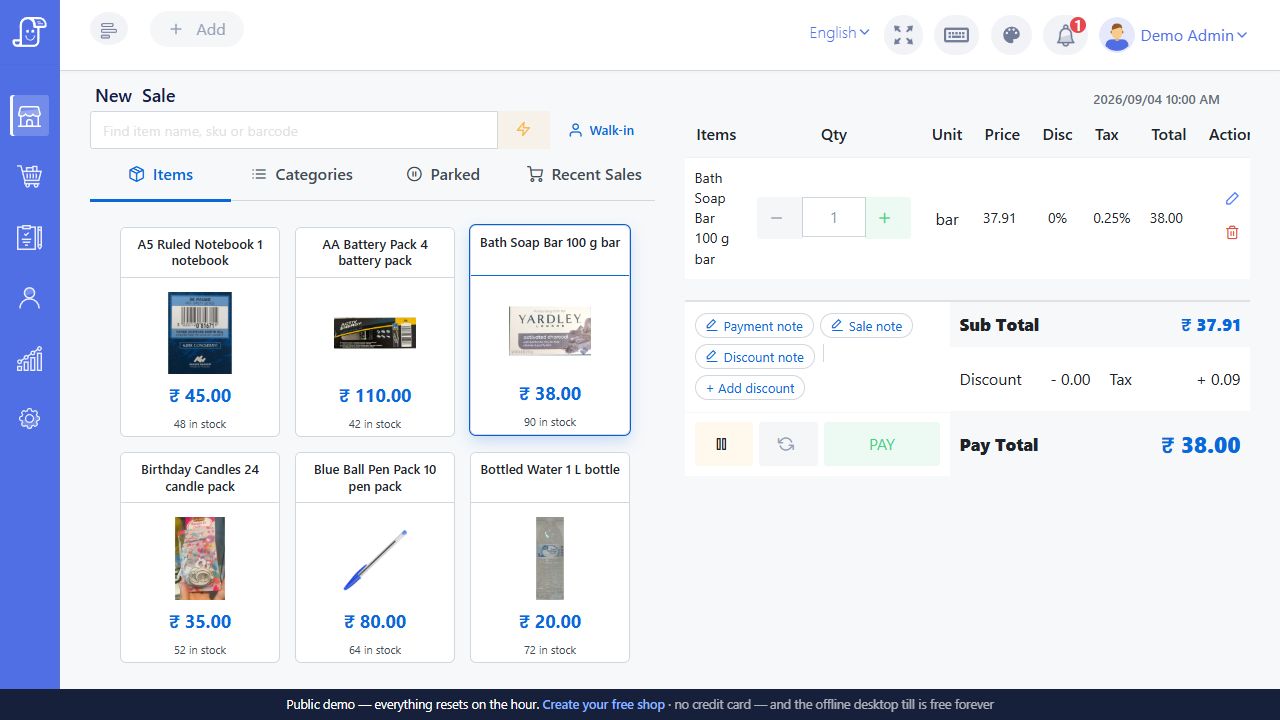
Find a product, check the cart and review the amount before taking payment. This is the Posnic interface behind Bill Pondy’s shop billing offering.
Try this in your Bill Pondy demo

  • Try a barcode from your own stock and confirm it selects the right item.
  • Change the quantity, then compare the cart and receipt totals.
Posnic demo checkout with product tiles, a soap item in the cart, quantity controls and a payment total

Product tiles sit beside the cart. The selected soap item, quantity and total are visible together before payment.

Public Posnic demo with sample data. Branding, prices and options shown belong to that demo; confirm your Bill Pondy setup and quote.

CHOOSE A USEFUL TEST BASKET

Test the details your shop cannot afford to mix up.

Use training items that look similar but must remain distinct. These are demonstration questions, not claims about a customer installation. Ask the cashier to explain the item, selling unit and intended stock change before completing each example.

  • Grocery or supermarket: put sealed packets and loose goods in the same basket. Follow our grocery billing demo for a worked ₹415 subtotal and separate packet and kilogram stock checks.
  • Clothing or footwear: choose two sizes of the same style. Confirm that the selected size appears on the saved sale and that its stock changes independently. Ask how the proposed catalogue represents size and colour; do not rely on the product name alone.
  • General or speciality store: use one readable barcode and one damaged label. Find the second item manually, then check that it has the same identity, price and unit as the catalogue record.
  • Shop selling packs and individual pieces: compare one sealed pack with one loose piece. Write down their separate selling and stock units, then demonstrate receiving and selling each. Any conversion must be configured and tested, not inferred from the label.

After each test, compare the saved sale, receipt and stock movement. Record what passed and what still needs work. For a changeover, use the catalogue and opening-stock checklist; for a new counter, start with your existing printer and scanner details. Contact Bill Pondy to arrange a demo—only your phone number is required.

THE EVERYDAY, MADE EASIER

Less counter chaos.
More business as usual.

Every bill, in order

Items, quantities, discounts and tax details, together in one straightforward billing flow.

Know what’s on the shelf

Connect everyday billing with stock tracking, so your next purchase starts with a clearer picture.

See how the day went

Review your sales and payments when you close the counter. Less guesswork for tomorrow.

YOUR KIND OF BUSINESS

Small setup?
Big rush?
Let’s talk.

Grocery & provision stores

Supermarkets & mini marts

Clothing & footwear shops

General stores & speciality retail

Bring five sample products, a recent sample bill and your starting-stock questions. Use the shop buying checklist to compare the workflow that fits your counter.

Enquiring from Karaikal? Use the Karaikal setup and support checklist to prepare your address, equipment and installation questions.

A FRIENDLY WAY TO GET STARTED

Three steps.
No head-scratching.

01

Tell us about your place

What you sell, where you are, and how you handle billing today.

02

See your workflow in a demo

Walk through a sale, product lookup and stock tracking. Ask about any must-have features.

03

Agree on your setup

Confirm the quote, compatible hardware, installation and support arrangements before getting started.

A FEW GOOD QUESTIONS

No confusion,
bro.

Still have a question? Just give us a call.

+91 94 94 11 11 91
Can the shop handle a return against an earlier sale?
Posnic documents a Return Sale workflow that starts from the original sale and records the items coming back. In your Bill Pondy demo, buy two sample items and return one. Check the returned quantity, stock movement and payment handling together. A refund and a new sale are separate records; ask staff to show how an exchange is recorded rather than assuming one button covers every case. Follow the customer and supplier return example, then check the refund and damaged-goods questions.
How do I find sales that are not fully paid?
The parent product supports part payments and a Partially Paid sales list. Ask to save a training sale with part of the amount outstanding, find it again and record the later collection. Confirm which staff can access customer balances and how the collection appears in your payment and closing reports. Use sample customer details during the demo.
Will a barcode distinguish similar products and pack sizes?
The barcode must identify the intended item or variant in your catalogue. Bring two similar packs, a loose item and an item whose label does not scan. Test both scanning and manual search, then compare quantity and selling price on the bill. The barcode guide explains the catalogue checks; the stock-count worksheet helps check the starting quantities.
Can I bill loose goods by weight as well as packaged items?
Posnic documents weighed-item sales in its desktop app. Agree the item’s selling unit and test the actual scale before using it at the counter; a visible weight button in a browser does not establish a working scale connection. For an illustrative demo, set loose rice to ₹80 per kg: 250 g is 0.250 kg, giving a ₹20 line amount before any applicable tax or discount. A sealed 1 kg pack sold by the packet is a separate catalogue item with quantity 1. Check the intended cart row, receipt and stock movement for both. If a scale reading fails, do not accept a default quantity of 1 without checking it; use only an independently measured, staff-authorized manual quantity. Bring your scale model and connection details to the demo. See the Posnic weighed-sale procedure and our equipment preparation guide.
Can I keep billing if the broadband connection stops?
Posnic’s desktop edition keeps its application and business database locally. That is the basis for discussing a local Bill Pondy setup. A payment provider, remote service or network printer has separate dependencies. Use the five-case interruption checklist to demonstrate your required sale during a controlled connection interruption, and agree a backup and restore plan for computer failure.
What should I bring if I already have a printer and scanner?
Bring the exact model names, connection types, receipt-roll width and computer details. A familiar connector alone does not prove compatibility. Use the hardware test worksheet to record a real printed bill, a scanned basket and any replacement equipment needed before agreeing the setup.
How do I arrange a Puducherry or Karaikal setup and compare the cost?
Tell us your locality, business type, counters and existing equipment through the demo enquiry form. Customers can meet staff at the South Boulevard office in Puducherry; staff also visit customers by arrangement. Bill Pondy software costs ₹6,000 per year. No setup fee or additional software fees. Confirm your equipment, data preparation, training and support arrangements using the pricing and setup guide.

POWERED BY POSNIC. MADE PERSONAL BY BILL PONDY.

Software that follows
your working day.

Bill Pondy is a white-label Posnic POS offering with its restaurant module. Confirm your modules, devices and service scope in the demo.

Barcode billing

A barcode is useful when it finds the right item, pack size and selling price. Bill Pondy brings Posnic’s item search and barcode billing workflow to shops in Puducherry and Karaikal.

See the workflow

Inventory management

A stock number is useful when you can explain how it changed. Bill Pondy uses Posnic’s item, purchase and stock-record workflows to bring your counter and stock review closer together.

See the workflow

Offline billing & backups

Posnic’s local desktop edition keeps the application and business database on the shop computer. Bill Pondy can discuss this local billing setup alongside the services and devices your business needs.

See the workflow

ONE CALL. ONE FRIENDLY CONVERSATION.

Pondy, let’s get
your billing sorted.

Tell us what you sell. We’ll help you find the right setup.

₹6,000 per year. No setup fee or additional software fees. See pricing and setup details.

Pesalama?