Vanakkam, Pondy! Your business has a new billing buddy. +91 94 94 11 11 91

FOR EVERY HUNGRY CUSTOMER

Restaurant billing software.
Pondy flavour.

From the first filter coffee to the last dinner bill. Keep your orders and billing together, so you can get back to serving.

Restaurant POS for Pondicherry (Puducherry) and Karaikal, built on Posnic with its restaurant module. Meet our team at the South Boulevard office or discuss a visit to your business.
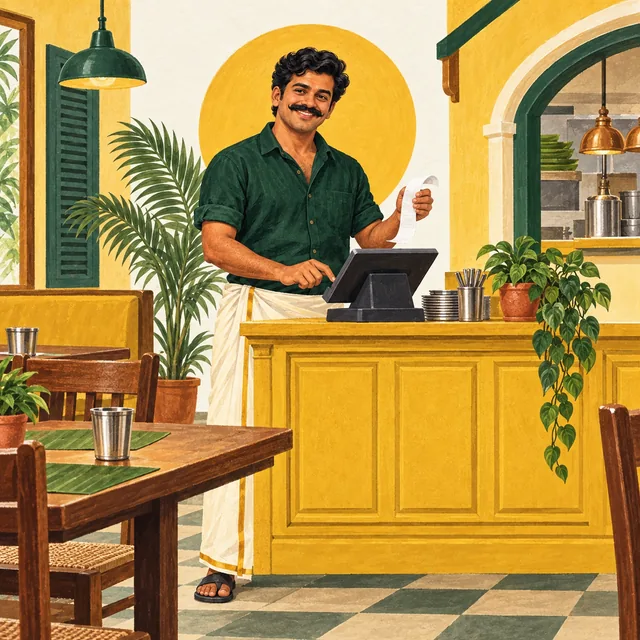
Illustration of Bill Pondy holding an order ticket at a restaurant counter
Bill Pondy, your fictional billing buddy.

ONE SIMPLE ANNUAL SOFTWARE PRICE

₹6,000 per year.

No setup fee or additional software fees.

Bill Pondy billing software for shops and restaurants, based on Posnic POS with its restaurant module.

See pricing and prepare your setup · Call +91 94 94 11 11 91

A LOOK INSIDE POSNIC

Start with the right kind of order

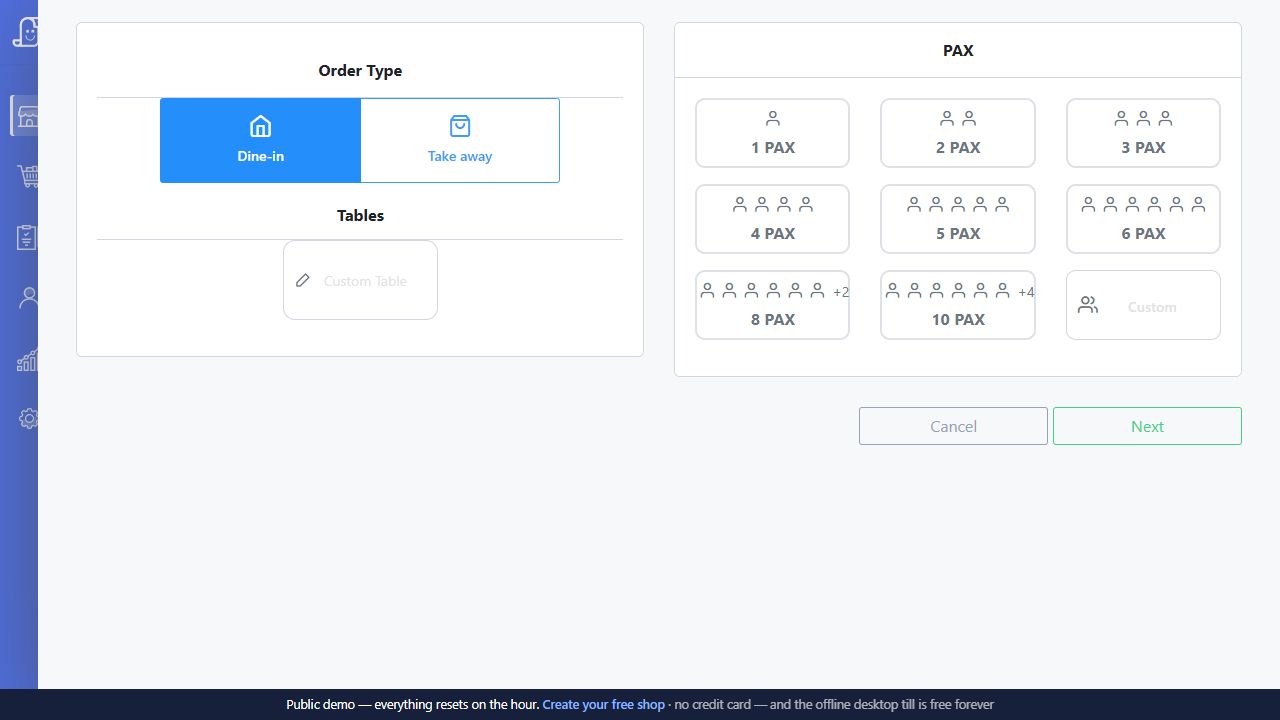
A dine-in order starts differently from a takeaway. The restaurant module lets staff choose the service type and record the guest count before adding items.
Try this in your Bill Pondy demo

  • Use your table names and test dine-in and takeaway separately.
  • Continue with your menu items, then check the kitchen ticket and final bill on your equipment.
Posnic public demo showing dine-in and takeaway choices, a custom table field and guest-count buttons before starting a KOT order

The opening KOT step shows Dine-in, Takeaway, a custom table field and PAX (guest count). Named tables are not configured in this sample.

Public Posnic demo with sample data. Branding, prices and options shown belong to that demo; confirm your Bill Pondy setup and quote.

THE EVERYDAY, MADE EASIER

Less counter chaos.
More business as usual.

Counter to kitchen

Keep orders clear with kitchen order tickets and a billing flow built around your service.

Bills without the bustle

Bring items, quantities, discounts and tax details together when it’s time to pay.

Close with clarity

Review sales at the end of service and make sense of the day.

YOUR KIND OF BUSINESS

Small setup?
Big rush?
Let’s talk.

Restaurants & messes

Cafés & coffee shops

Bakeries & sweet shops

Takeaway & quick service

Bring a short menu, table names and the kitchen stations that need tickets. Use the restaurant demo checklist to test a complete service. Café or takeaway counter? Include its two-coffee customisation exercise to check item instructions and parcel handover.

Enquiring from Karaikal? Use the Karaikal setup and support checklist to prepare your address, equipment and installation questions.

A FRIENDLY WAY TO GET STARTED

Three steps.
No head-scratching.

01

Tell us about your place

What you sell, where you are, and how you handle billing today.

02

See your workflow in a demo

Walk through an order, a kitchen ticket and the final bill. Ask about any must-have features.

03

Agree on your setup

Confirm the quote, compatible hardware, installation and support arrangements before getting started.

A FEW GOOD QUESTIONS

No confusion,
bro.

Still have a question? Just give us a call.

+91 94 94 11 11 91
Can I manage dine-in and takeaway in the same restaurant workflow?
The Posnic restaurant module includes dine-in and takeaway order entry. For your Bill Pondy demo, open one training table and one takeaway order, then check that staff can identify and finish the intended order. Bring your table names and a short menu. The table-management guide explains what to check while other tables remain open.
Is a kitchen order ticket the same as the customer bill?
No. A KOT tells the preparation station what to make; the customer bill records the sale and amount payable. Posnic documents separate Print KOT and Print Bill actions. Demonstrate both on your equipment, including the destination of each document. The KOT guide follows the handoff from order entry to the kitchen.
What happens when a table adds another round or a ticket needs reprinting?
Posnic’s counter-printing documentation distinguishes pending kitchen changes from an explicit reprint copy. Test a first order, a later addition and a reference copy so the kitchen can tell what is new work. When output is uncertain, check what the kitchen received before retrying. Follow the changed-order and reprint checklist with your installed version and staff permissions.
Can the kitchen use a different printer from the billing counter?
The desktop restaurant workflow has kitchen-printer configuration separate from bill printing. Bring each printer’s model, connection, location and roll width, and identify which stations need which tickets. Confirm routing and physical output during the demo; a saved order does not prove that paper reached the cook. Record each station in the hardware worksheet.
How can we check the restaurant close before choosing the software?
Rehearse a short service with open orders, a later round and settled bills, then compare the saved sales and payment records with your sample transactions. Count cash separately from card or digital payments. The whole-service demo checklist and cash-drawer worked example give the manager concrete checks to perform.
What is included in restaurant installation and support?
Agree the restaurant module, counters, table and menu preparation, printers, training and support in writing. Bill Pondy software costs ₹6,000 per year. No setup fee or additional software fees. Confirm the equipment and working arrangements for your installation. For Puducherry, arrange an office or site discussion. For Karaikal, prepare your location and equipment with the regional setup guide, then send a demo enquiry.

POWERED BY POSNIC. MADE PERSONAL BY BILL PONDY.

Software that follows
your working day.

Bill Pondy is a white-label Posnic POS offering with its restaurant module. Confirm your modules, devices and service scope in the demo.

Kitchen order tickets

A kitchen order ticket tells the kitchen what to prepare. A customer bill tells the guest what to pay. Bill Pondy’s Posnic restaurant module supports these as separate steps in the service flow.

See the workflow

Table management

Dine-in service rarely ends after the first order. Posnic’s documented Easy Table workflow connects a table with its open order while guests continue ordering.

See the workflow

Sales & payment reports

The useful report is the one that answers your question. Bill Pondy brings Posnic’s sales, item, purchase and payment reporting workflows into the conversation about your daily close.

See the workflow

ONE CALL. ONE FRIENDLY CONVERSATION.

Pondy, let’s get
your billing sorted.

Tell us what you sell. We’ll help you find the right setup.

₹6,000 per year. No setup fee or additional software fees. See pricing and setup details.

Pesalama?