Start with what you need to know tonight
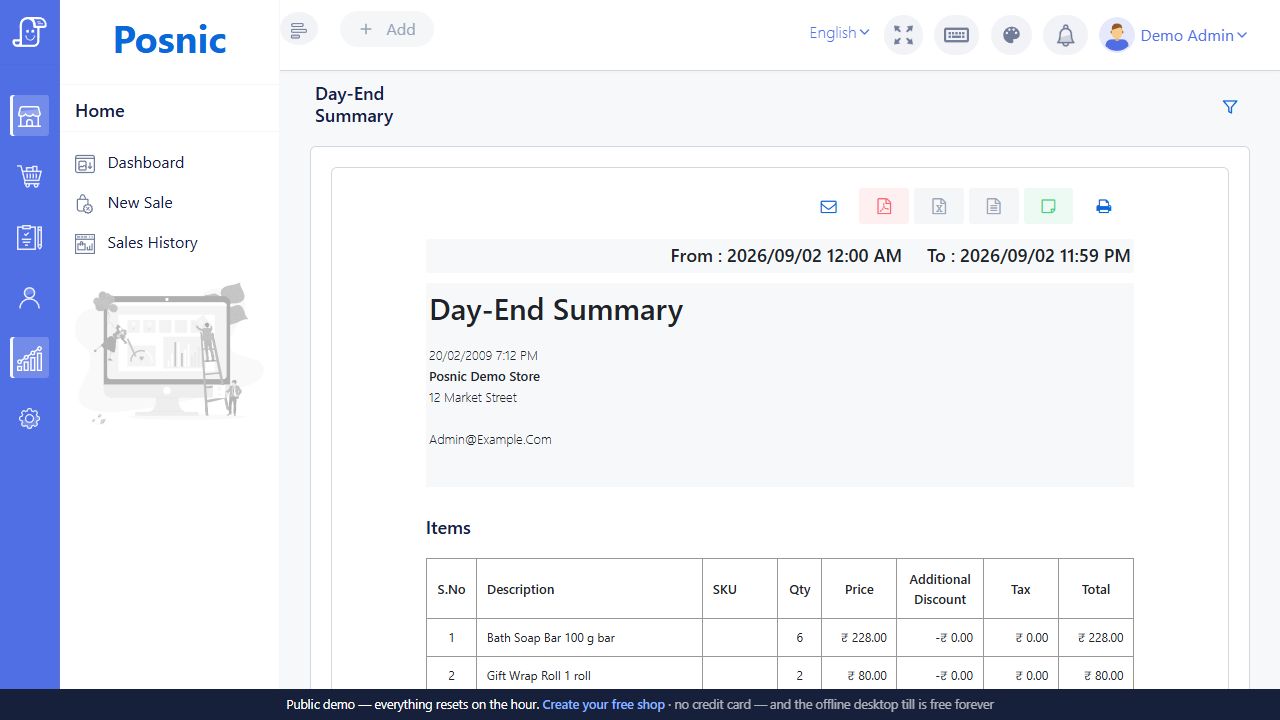
A shop owner may want the day’s sales and the products to reorder. A restaurant owner may need to understand items sold, payments collected and orders still open. Posnic documents reports for sales, purchases, inventory, expenses and related business records; the available views should be demonstrated for your configured modules.
Ask to choose a date range and inspect the records behind a total. A chart is a useful overview, but the transaction detail matters when a cashier or supplier asks why an amount changed.
Run a small close with known transactions
Use a few sample sales with values everyone can calculate. Include a discount, a return and a partially paid bill where those workflows apply. Compare the result in sales history, the payment view and the relevant stock records.
- Check whether the selected date range is correct.
- Compare completed sales with returns and discounts.
- Separate collected money from outstanding balances.
- Review cash, recorded digital payments and other tender types.
- Explain any remaining open restaurant orders.
The expected result should be written down before viewing the report. That makes the exercise a check of your workflow rather than a tour of report names.
Payment records and bank settlement are different
A POS payment entry records what the cashier entered. It is not, by itself, confirmation that a bank or payment provider settled the same amount. Agree how staff check actual receipts and provider statements, including delayed settlements, failed payments and refunds.
Similarly, a sales total and a profit figure answer different questions. Cost data, returns and the period selected affect interpretation. Your accountant can help decide which reports are appropriate for bookkeeping and what information needs separate review.
Cash drawer closing calculator
Compare one physical drawer over one shift. Enter each cash movement once. This is a manual planning aid; it does not read your POS, confirm bank receipts or close a register.
Expected cash = opening cash + cash received + other cash added − cash refunds − other cash removed. Difference means counted cash minus expected cash: a negative difference is short; a positive one is over.
A worked close for a small counter
This illustrative shift starts with ₹500 in change. The cashier keeps ₹2,500 in cash from payments, adds another ₹200 of float, pays ₹100 in cash refunds and removes ₹400 for an approved payout. Expected drawer cash is ₹2,700. Counting ₹2,675 leaves a ₹25 shortage to investigate.
Swipe the table, or focus it and use arrow keys, to read all columns.
| Movement | Amount | Effect |
|---|---|---|
| Opening cash | ₹500 | Add |
| Cash received before refunds | ₹2,500 | Add |
| Extra float | ₹200 | Add |
| Cash refunds | ₹100 | Subtract |
| Other cash removed | ₹400 | Subtract |
| Expected cash | ₹2,700 | Compare with the physical count |
| Counted cash | ₹2,675 | ₹25 short |
A bill of ₹800 might contain ₹300 paid in cash, ₹300 recorded as UPI and ₹200 still unpaid. Only the ₹300 cash portion belongs in this drawer calculation. Check the digital payment separately and retain the unpaid amount in the outstanding-bill review.
If a report already shows receipts after refunds, do not enter that net figure and subtract the refunds again. Reconstruct the separate amounts from the underlying records. Likewise, a cash collection or refund belongs in only one category; it is not also an extra cash-in or cash-out entry.
The Posnic register closing guide explains its opening float, payment tally and cash movements. Confirm the configured register and reporting behaviour in your Bill Pondy demo. This website calculator is an independent manual check, not a connected register report.
Make the closing routine repeatable
Choose the views your team will use, who checks them and where approved exports are kept. Use business records only in the approved account and avoid sharing customer information casually. A clear closing routine is easier to teach than a long list of reports with no owner.
For restaurants, combine this with the sample service checklist. For shops, follow a sale through inventory records as well as the payment view.
About these product details
Bill Pondy is a white-label offering of Posnic POS with the restaurant module. This page draws on the product documentation and source reviewed on . Confirm the installed version, enabled modules and your equipment in the demo.