Make the table reference part of the workflow
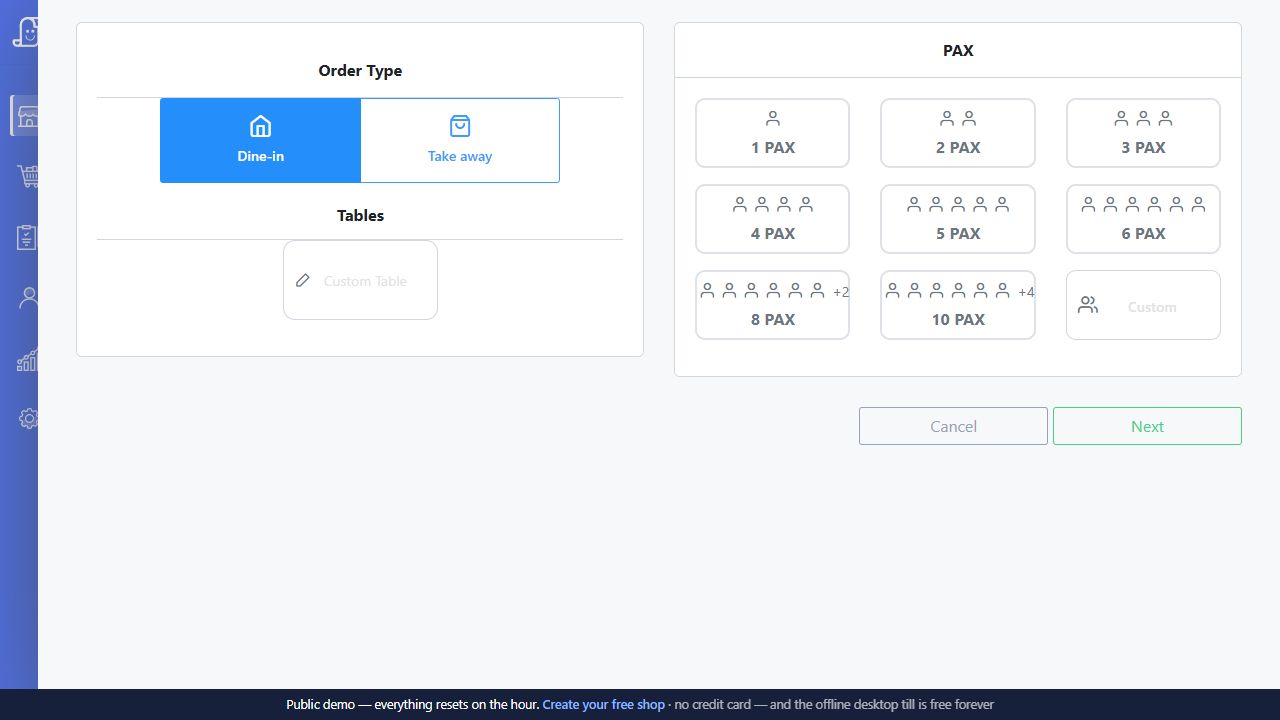
A table name should mean the same thing to the cashier, server and kitchen. In the demo, use the names your staff already recognise. Open an order, send the first round to the kitchen and return to the same order when the table asks for something else.
Bill Pondy is a white-label Posnic offering with the restaurant module. The point of a table demo is to check your service routine: which person enters the order, which counter collects payment and how staff identify the active bill when the restaurant is busy.
Test two tables at the same time
Open two sample tables and give them different orders. Add a second round to the first table, then inspect the second to confirm its order remains unchanged. Settle one table and check how staff see that it is available for another guest.
Write down what should happen if a guest moves, two parties want to combine their bill, or one guest wants to pay for selected items. Treat transfer, merge and item-level split requirements as specific demonstration questions. An open-table feature by itself does not establish all three.
Separate order status from payment status
Food reaching the kitchen is a different event from collecting the bill. A table may still be open after its latest kitchen ticket is printed. Staff should be able to identify the correct order and explain whether it has been settled, partially paid or left open under the configured workflow.
- Use recognisable table names and a representative menu.
- Identify who can amend or cancel an order.
- Check later additions on both the order and kitchen ticket.
- Demonstrate the payment methods your restaurant accepts.
- Find any remaining open orders before closing service.
Prepare for the shift change
Ask the outgoing cashier to explain the open orders to another member of staff using the software. A handover should not depend on remembering which customer asked for an extra coffee. Agree who checks unsettled tables and who records an exception when a payment cannot be completed.
Read the KOT workflow and sales reporting guide together. Bring your table plan to a Bill Pondy demo for your restaurant in Puducherry or Karaikal.
Walk through one service with two distinct orders
Use this illustrative exercise with training data and your own menu. Label the tables A and B, and note each order reference as it appears in the demonstrated setup. The test is not complete when the first kitchen ticket prints: follow the later round and settlement as well.
Swipe the table, or focus it and use arrow keys, to read all columns.
| Action | Table A | Table B | Check before moving on |
|---|---|---|---|
| Open the first order | Two coffees | No sample order yet | The order and kitchen instruction identify A. |
| Open the second order | Still two coffees | One tea and one snack | B has a distinct order reference; A has not changed. |
| Add a later round to A | Two coffees plus one snack | Still one tea and one snack | The new preparation instruction is for A's added snack, not another request to prepare its earlier coffees. |
| Review B for payment | Remains open | One tea and one snack on the bill | The cashier confirms B's order reference and full item list before recording the payment. |
| Complete B's settlement | Remains available to review as an open order | Its saved sale and recorded payment can be found | Check how the installed workflow releases B for new guests without changing A. |
Record what actually happens, including any unavailable step, in the restaurant demo worksheet (CSV). A requirement marked for follow-up is more useful than assuming a screen will behave a certain way after installation.
Handle an uncertain ticket before adding another instruction
If a server adds a dish while a kitchen ticket is being printed, compare the latest saved order with the paper received in the kitchen. Posnic's counter-printing documentation distinguishes pending changes from an explicit copy of an already printed ticket. Confirm that behaviour in the installed build and with the intended printers.
Do not use a bill reprint as a substitute for telling the kitchen about a changed order. If the first ticket's physical output is uncertain, ask the kitchen what it received before retrying. A printer dialog closing does not establish that the right paper arrived. The KOT retry and reprint guide explains how to separate new work, a copy and an uncertain attempt.
Before handing the counter to another cashier, identify each remaining order by table and order reference, the latest change still needing attention, and who will resolve it. Review the configured payment record separately from the kitchen status. Confirm external payment receipt through your normal provider checks; a prepared dish or printed bill is not evidence of collection. Use the whole-service demo guide to include these exceptions in the same demonstration.
About these product details
Bill Pondy is a white-label offering of Posnic POS with the restaurant module. This page draws on the product documentation and source reviewed on . Confirm the installed version, enabled modules and your equipment in the demo.