Start with the stock you actually sell
For a grocery shop or supermarket in Pondicherry, Puducherry or Karaikal, prepare a small training catalogue before discussing screen layouts. Choose a sealed bottle, two different packet sizes of one product, a loose item sold by weight and something without a readable barcode. These examples test different counter decisions; a scan-only demonstration misses several of them.
Bill Pondy offers white-label Posnic POS. Its documented barcode and inventory workflows are the starting point for a demo, not proof that your catalogue and equipment have already been configured correctly. Record the selling unit beside each item. A packet described as “1 kg” can still be sold as one packet; its label weight does not mean the cashier should enter a fractional packet quantity.
Bring real packaging or a sample catalogue without private customer information. Use the barcode guide to test product identity and the migration checklist to prepare opening quantities.
Run this three-line basket from counter to receipt
This is an illustrative training exercise, not a customer result or a quotation for groceries. Prices are invented for easy arithmetic. The amounts below exclude tax and discounts; configure those separately for your actual products and review the resulting final bill.
Swipe the table, or focus it and use arrow keys, to read all columns.
| Training item | Selling unit | Quantity | Sample unit price | Line amount |
|---|---|---|---|---|
| Sealed oil bottle | Bottle | 2 | ₹140 | ₹280 |
| Soap packet | Packet | 3 | ₹25 | ₹75 |
| Loose rice | Kilogram | 0.750 | ₹80/kg | ₹60 |
The example subtotal is ₹415. Before saving, compare the three item identities, quantities and price units on screen. After saving, locate the same sale and read its receipt. If one line is wrong, stop the exercise and identify the catalogue or entry mistake before testing more transactions. A correct total can hide two offsetting errors, so check every line as well as the total.
Treat measured quantity as an acceptance check
Posnic documents scale reading through the installed desktop app. The ordinary browser sale screen does not establish a working serial scale connection. Check your actual device and configured unit; when a kilogram-based product measures 750 grams, the intended quantity in this exercise is 0.750 kg.
A failed read can leave the item at quantity one. Staff must inspect and correct that value before payment; do not assume a warning prevents the sale. If manual entry is part of the shop’s approved fallback, use an independently measured quantity and verify the calculation. Demonstrate this with the installer using training data. The Posnic weighed-item manual explains the desktop and fallback boundaries; reviewed 22 September 2026.
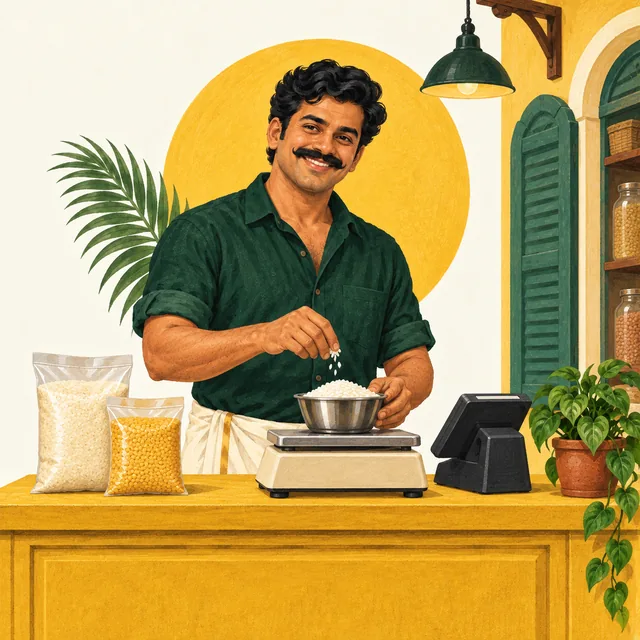
The illustration on this page is mascot artwork, not evidence of a compatible scale. The equipment checklist helps record the exact device and observed results.
Check the stock units after the basket is saved
In an isolated training exercise with no other movements, suppose the starting quantities are 10 oil bottles, 20 soap packets and 25 kg of loose rice. After the sample sale, the intended balances are 8 bottles, 17 packets and 24.250 kg. Compare these expectations with the recorded movements and the displayed stock. These are acceptance targets, not claims about an installation we have tested.
Check sealed rice packets separately from loose rice. If your supplier delivers cartons, write down how cartons become your chosen stock unit before entering opening stock. Do not receive “one carton” as “one bottle” or assume a conversion exists because the names look related. Ask the demonstrator to show the configured receiving workflow, then reconcile one small purchase with its actual contents.
Use the inventory guide and blank count worksheet for the detailed reconciliation. If a balance is unexpected, examine the individual movement before changing the opening quantity to make the answer fit.
Rehearse exceptions while the queue is quiet
- Similar packs: select the smaller and larger pack independently and inspect the item names on the receipt.
- Unreadable label: find the exact item manually and check its price and unit before adding it.
- Customer changes their mind: remove one item before payment and recompute the basket.
- Payment uncertainty: distinguish the saved sale from evidence that an external payment arrived. Check receipt through your normal payment-provider process before recording a second collection.
- Post-sale return: ask the demonstrator to trace the original sale, the permitted correction, the payment consequence and the stock consequence separately. Do not treat a returned item as automatically fit for resale.
Use the blank grocery demo worksheet to record the installed build, each line calculation, stock balances and exceptions. Its sample expectations match this guide; leave observed results blank until you test them. Keep the exercise in isolated training data with no other stock movements. Write down who handles each exception and which checks remain untested. The goal is a repeatable counter routine, not a speed claim from one demonstration. Follow the sales and payment reporting guide to compare the saved transactions at closing.
Prepare a grocery demo with Bill Pondy
Share the business type, approximate catalogue size, your selling units and any existing scanner, printer or scale models. These details help choose useful sample transactions. You can still contact us with only your phone number; the preparation list is optional.
Bill Pondy’s software price is ₹6,000 per year, with no setup fee or additional software fees. Confirm any equipment needs and practical service arrangements before proceeding. The pricing guide distinguishes software price from hardware planning.
Our office is on South Boulevard opposite the railway station in Puducherry. We handle enquiries for Puducherry and Karaikal; locality coverage does not imply a separate branch. Arrange a demo and use your mixed basket as the acceptance exercise. For the wider offering, see shop billing software.
A note from Bill Pondy
We provide a white-label Posnic POS offering with the restaurant module. These are practical planning guides from the business offering the software; examples are illustrative. Confirm features, equipment, prices and service arrangements for your own setup. Questions or corrections? Talk to us.